Outlook でバージョンを確認したいと思うことはないだろうか。
バージョンに応じて、プラグインやアドオンの互換性、サポート終了日などを確認する場合に役に立つ。
今回は、Outlook でバージョンを確認する方法を紹介したい。
Outlook でバージョンを確認する方法
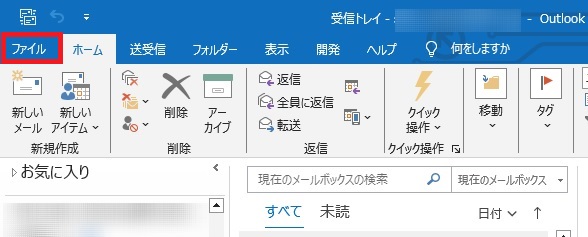
Outlook で、「ファイル」タブをクリックする。
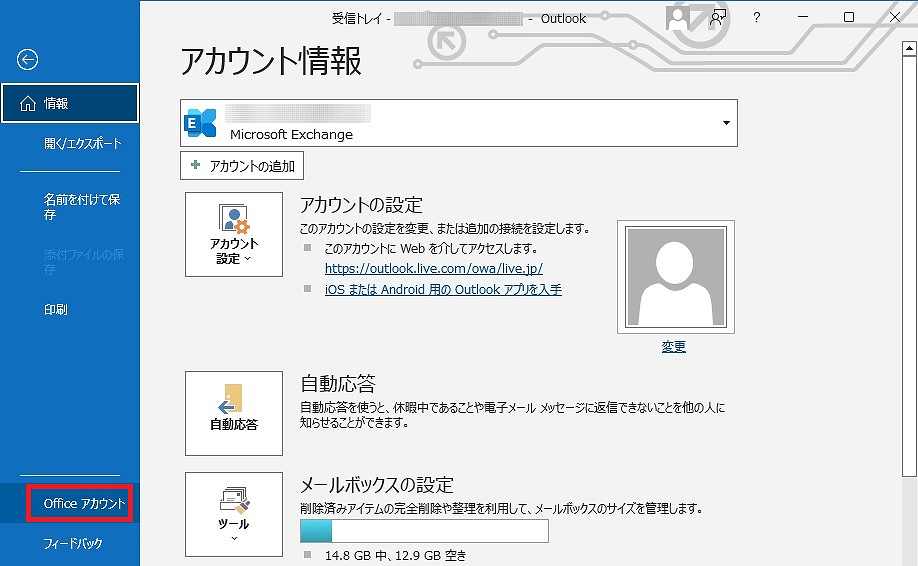
「Office アカウント」をクリックする。
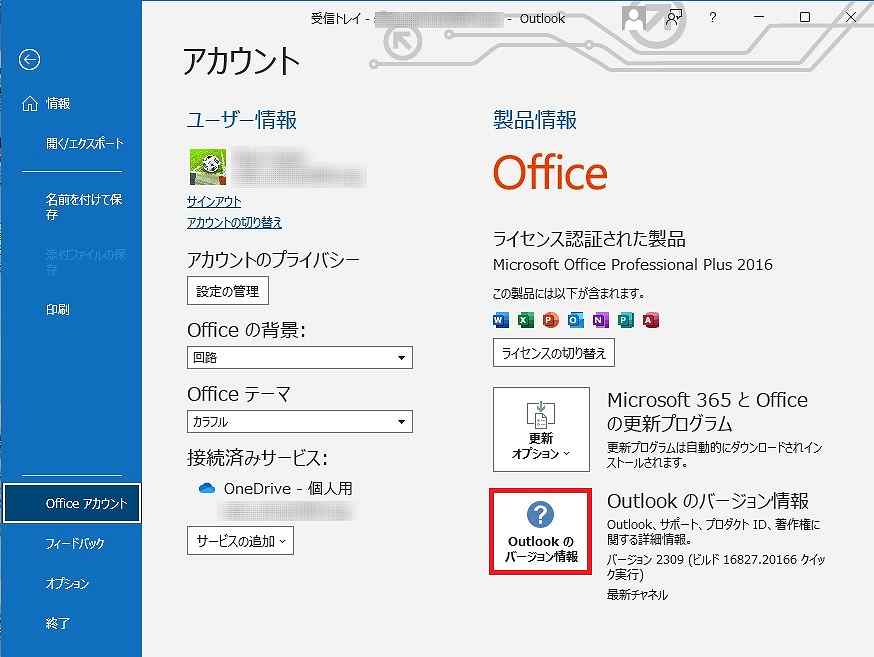
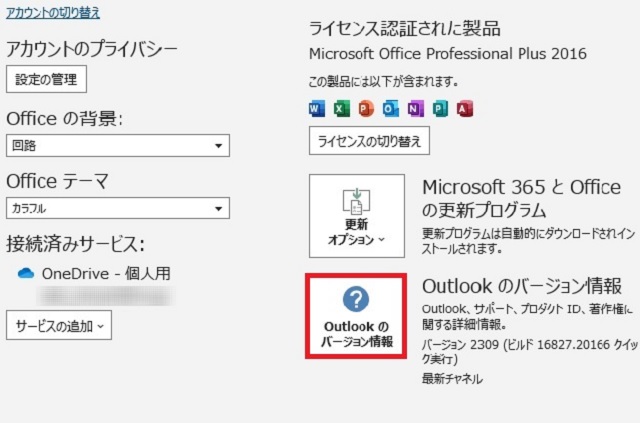
「Outlook のバージョン情報」をクリックする。
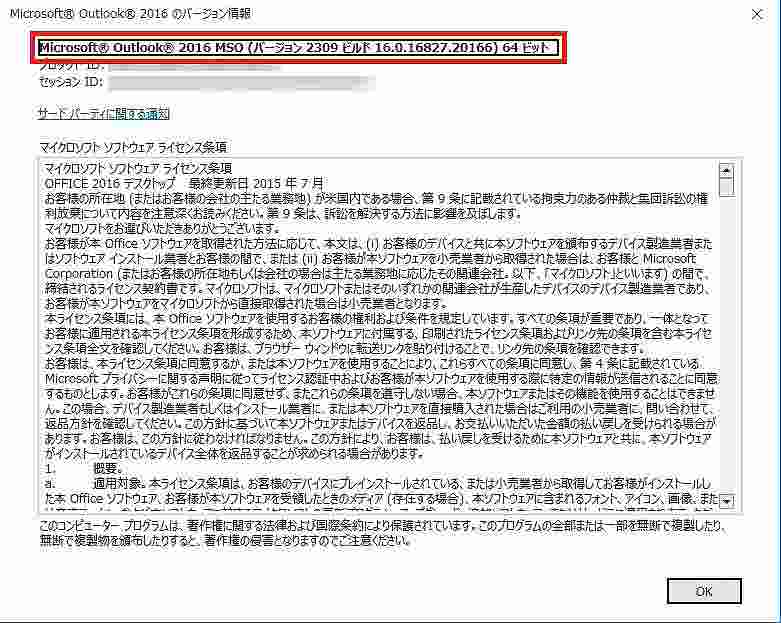
Outlook のバージョン情報が表示された。
リンク
リンク

 Outlook
Outlook でバージョンを確認したいと思うことはないだろうか。
バージョンに応じて、プラグインやアドオンの互換性、サポート終了日などを確認する場合に役に立つ。
今回は、Outlook でバージョンを確認する方法を紹介したい。
Outlook で、「ファイル」タブをクリックする。
「Office アカウント」をクリックする。
「Outlook のバージョン情報」をクリックする。
Outlook のバージョン情報が表示された。
コメント